
BattlEye Troubleshooting
updated on: 09/06/2023What is BattlEye?
BattlEye is the industry-leading anti–cheat service, countering hacking and cheating in multiplayer PC games through the use of anti–cheat mechanisms.
What is the BattlEye Service?
The BattlEye Service runs on Windows and helps protect Path of Titans from cheaters and ensures the protection of the game's process. Sometimes it needs to be updated or the game is ran without the service starting. The game will prompt you to restart and take you to this support page if you are having issues with it.
BattlEye Not Installed / Not Working
Step 1: Check for incompatible software and your Anti Virus Program
- Sometimes there will be software that might break BattlEye from working. Here is a list of known software that might cause issues that you might need to close or uninstall before playing:
- AVG
- Avast
- Asus Armory Crate
- ICue by Corsair (RGB software)
Step 2: Windows Update (Windows Only)
- Sometimes old versions will cause issues and cause BattlEye to not work, please open Windows Update and press check for updates and make sure you are on the latest version of Windows 10 or Windows 11.

Step 3: Update Graphics Driver (Windows Only)
If you are using a Nvidia Graphics Driver you may have to update it to a newer version for the game to work. Make sure you’re using the latest driver by updating it through GeForce Experience or directly through the NVIDIA website.
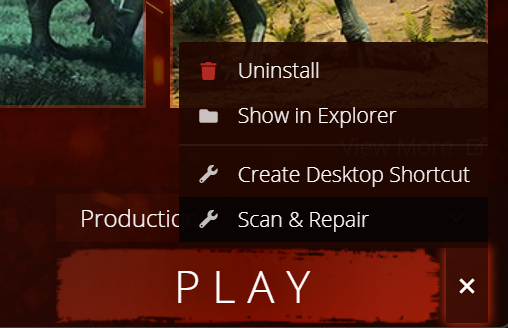
Step 4: Run Scan & Repair (Windows, Mac, Linux)
Sometimes a file can get deleted via an Anti Virus or corrupted during download which will prevent BattlEye from working, you can try run Scan & Repair to see if it will fix it.
Step 5: Full Computer Restart (Windows, Mac, Linux)
Sometimes BattlEye is unable to properly install because of a previous failed install or file being in use, doing a full computer restart and trying the steps above again might help fix it.
Step 6: Use BattlEye Install, Uninstall batch files in Game Install Directory (Windows Only)
You can manually Uninstall, Install BattlEye directly by running the bat files in the game directory.
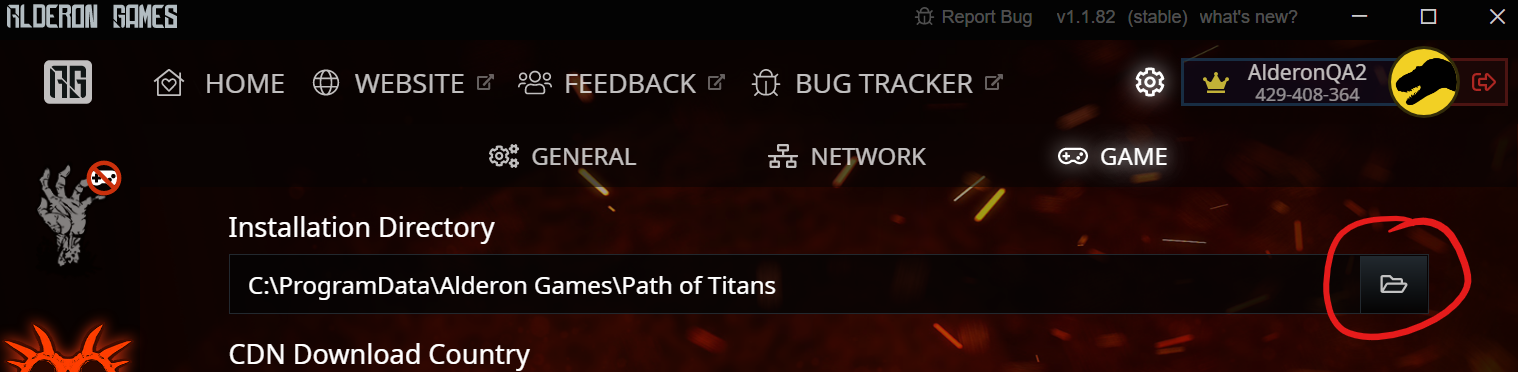
- First Locate where the game installation directory is you can do this by pressing the folder icon under Settings -> Game tab.
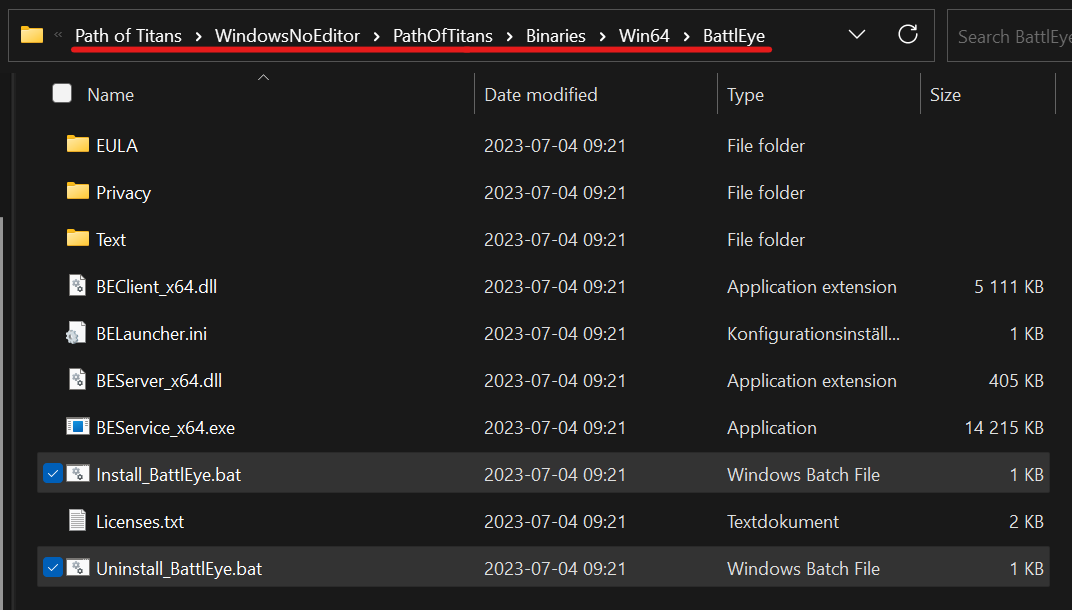
- Enter the WindowsNoEditor > PathOfTitans > Binaries > Win64 > BattlEye Folder:
- First run Uninstall_BattlEye then after the permission prompt wait a few seconds and run Install_BattlEye. You may need to restart your computer BEFORE running Uninstall, and again before running Install.

- If this still doesn't work you can try running Factory Reset, then Install. Keep in mind this will completely remove BattlEye from your computer to cleanly reinstall it, This might effect other games that use BattlEye.
Step 7: Repair Corrupt Windows files via System File Checker (Windows)
- First search the start menu for cmd and run Command Prompt as Administrator

- In the new window type
sfc /scannowand press enter

- This will check over your system files, it may take some time and repair any invalid files.

Ask Alderon Games Team for help
You can ask us in #launcher-help on discord or via https://support.alderongames.com for help regarding BattlEye issues and we will do our best to help you! We don't know how to fix every single issue and sometimes you might need to ask the BattlEye team for help.
Contact BattlEye Team for help
Important Note: Please only contact BattlEye Support for issues with BattlEye itself. Issues with the game should be directed to Alderon Games Support